
Agile Project Management — Intuitively and Exhaustively Explained
How Teams Get Things Done


If you’ve worked on complicated things, you may be aware of two fundamental truths:
Some problems are too big for one person to solve and require a team
Teams of people are sometimes inefficient
Thus, teams can be a blessing and a curse. A team of people can move mountains, or a team can operate so inefficiently that it’s less productive than a single person working by themselves. If you’ve worked in software development for any length of time, you might be familiar with one of these problems:
Developers not understanding what they should be working on, why it’s necessary, or how it should work
Developers feel consistently stressed about deadlines, which impacts both their productivity and mental health
Managers do not know how long tasks will take to finish
A general feeling that the product is fragile, inconsistent, or quirky, and is getting worse rather than better over time
Frustratingly slow progress across the board, with product managers blaming developers, and developers blaming product managers
Problems like these mark the difference between a team that moves mountains and a team that’s stuck in a rut. A lot of people point the finger when problems arise in a team, with developers blaming managers and managers blaming developers. In my opinion, all of these are indicative of inadequate management. Management, not skill, money, clients, or time, is the biggest weakness in most software development projects.
There is more than one way to be a successful project manager, and different projects sometimes require different styles, so it’s difficult to create a single unified framework for high-quality software project management. Still, through decades of trying different approaches, there are certain themes in software management that appear to be transcendent.
The most popular style of project management falls under the name of “Agile”, with other words like “Scrum” and “Kanban” following closely behind. We’ll be discussing these approaches, as well as the approaches that preceded them, throughout this article.
I often find that management is discussed from a very high level, making it hard to apply the lessons learned to actual teams. To alleviate that, this article will also provide some practical examples and tools that I’ve learned in my career thus far, to allow you to directly apply the theories discussed in this article to real-world problems.
My objective is that, by the end of the article, you understand the point of project management, some of the challenges associated with the discipline, and how to do project management right, regardless of the project or team size. The focus of this article will be on software project management, but I believe the core ideas will be relevant to most disciplines that require multiple people to reason collaboratively over difficult problems.
Who is this useful for? Anyone who works within teams to solve problems.
How advanced is this post? This article is accessible to beginners.
Prerequisites: None.
A Request: IAEE articles are large in scope, and take a significant amount of time to produce. Despite this effort, IAEE articles are available for free. If you enjoy this style of content, and want to support a better and more educated internet, consider supporting Intuitively and Exhaustively Explained. If you are a supporting member, thank you. You keep the lights on.
The Philosophy of Management
Before we discuss agile management, I want to discuss some misconceptions around project management in general. It’s a divisive topic, with a tremendous potential impact on a team, and vague ideas of what being a good manager looks like. I find this combination of importance and vagueness lends an almost religious quality to how project management is taught. There are certain creeds you must abide by, certain rules you just don’t break, and certain sins you don’t transgress lest the project management gods smite you. Often, a fledgling project manager stumbles on a particular approach and treats it like gospel. This can lead to strong convictions without having a foundation of ideas to support them.
Before we discuss Agile, I want to share the soul of my philosophy around project management. This philosophy is the result of learning from several great project managers, observing the failings of bad ones, and learning from my own successes and failures.
Philosophy: The Goal is to Not Have a Team
In my opinion, the first step to being a stellar manager is to recognize the reality of the situation; one perfect person is always better than a team. Building teams is a necessity, not a goal.
This is a controversial statement, so I want to tackle it upfront. I have seen people mythologize teams. Some people cite differences in skill set, differences in experience, or simply a cooperative human spirit making teams better than the sum of their parts. I think this is idealistic and inaccurate. I want to convince you by way of a thought experiment.
If you were building an app, for instance, you might require a front-end developer, a backend developer, a dev-ops engineer, a designer, and maybe a data scientist if you’re building fancy AI functionality. Any time a major change needs to happen, each of these people needs to sit down and talk to one another. No one person understands the product in its entirety, so each of them needs to advocate for their respective parts of the product. Coming to a conclusion can take hours of time, implementing a solution requires aligning people’s knowledge, and unknowns are likely to be encountered which the team will inevitably bump into.
Imagine, instead, if there was one person working on the product. A super developer who is a world-class expert in front-end, backend, dev-ops, and data science. They had dedicated the last 40 years of their life to mastering each of these disciplines. They have several PHDs. They’ve built companies from scratch in a month that are valued at over $100M. They also have an artistic flair and can create beautiful app designs that have won international awards. They also know all of your intended users personally and understand how they think. Oh, and by the way, this super developer also speaks four of the most common languages and has lived around the globe. Did I mention they’re an acclaimed marketer too? If you ask a person like this to solve a problem, it’s possible they can do in minutes what it would take a team of developers days or weeks to do.
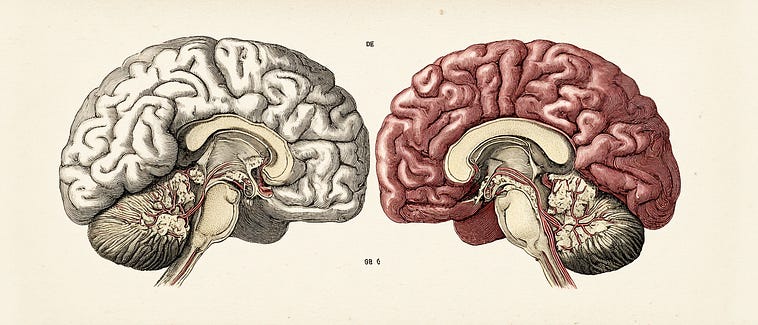
The difference in productivity between these two situations is insanely large. When possible, you should always have a super-genius working perfectly in a codebase they completely understand. Better yet, have them build the whole company. That is the ideal, and is better than a team of developers trying to inefficiently discuss what an omnipotent mind can reason over virtually instantaneously. Trivially, if you think a team is so amazing, then imagine the capacity of that team within one brain (different personalities and everything, like they were plugged into the matrix together). It would be the same but faster. In theory, one brain with the capacity of a team will always be better than the same capacity spread out across multiple brains.
The issue isn’t what’s better, but what’s realistic. Frankly, the super genius doesn’t exist. If they do exist, you can’t afford them. I’ve been writing IAEE for a while, with the goal of becoming more like the aforementioned super genius, a north star I know I’ll never hit despite a substantial amount of effort. Still, as I become more competent, the attractiveness of some job opportunities becomes less and less compelling. Why would I work for your company when I could build your company from scratch in a weekend? Will you give me 80% equity even though I’m generating 90% of the value to the company? Probably not. The majority of my early career consisted of a complete technical ownership of very young and small companies, where I would work directly with non-techncial business owners to build the bedrock of the company. As I gained more experienced, I found that these fledgling business owners don’t have the requisite knowledge to value or the requisite revenue to compensate my skills appropriately, and thus those jobs simply interest me less.
When people discuss the rift between junior and senior developers and their job opportunities, this is why. brand-new developers are often a liability; no one wants to hire them because you need so many of them to solve a problem that the fragmentation makes the team incredibly inefficient. Senior developers are incredible assets, but they’re rare because most people don’t invest the time necessary to become one. Senior developers have a ton of selection, and few companies can afford the good ones.
The last two paragraphs concern small companies working on small problems. Big problems in big companies, or cutting-edge startups working on groundbreaking things, are too complicated for any one person to wrap their head around, no matter how capable they are. The Manhattan Project, for instance, required a team of some of the most ingenious minds in the world. Each of them dedicated their life to gaining the knowledge they had. Creating a single human with the capability of all those minds would defy the realities of human intelligence and mortality.
This catch 22 is why teams of developers exist; the utopian super-genius does not exist or is not available, so we have to make do with the manpower we have. We want to keep our teams small, and packed with the smartest people we can, but there will always be a breakdown in any large project that requires a team. Project management, thus, can be conceptualized as taking the super-genius’ mind and fragmenting it across different developers. The objective of project management is to minimize the derogatory impact of that division.
This division of the super-genius mind, I think, is an incredibly useful mental model of team building and management. Sometimes you need to bring people on to complete the mind. Sometimes you can bring too many people on, and overfragment the mind so that it’s ineffective.
Once you’ve built the team, it’s also a useful model for how to manage the team once it’s been built. Inefficiency happens when different fragments of the mind need to work together. Neurons in one developer can interact at will, but to interact with the neurons in another developer’s mind, they need to open Slack, book calls, and generally move at a snail’s pace relative to the potential of individual internal thought.
Thus, the name of the game of good management is to break up a problem so it can be best distributed throughout the fragmented mind of a team. A project needs to be broken up into tasks that individual developers can work on, and done so in such a way that the pieces come back together to make one cohesive product. This, in a nutshell, is the task of software project management.
Philosophy: People Work Alone on Tasks
Teams work on projects, but individuals work on tasks. A task, in essence, is a portion of the project that one person can do within a reasonable timeframe. There is, in my opinion, no alternative. It’s healthy and productive for a team to have high-level conversations that align their vision of a product but, at the end of the day, things get done by one person doing them. Teams are collaborative in that they align and parallelize individual labor.
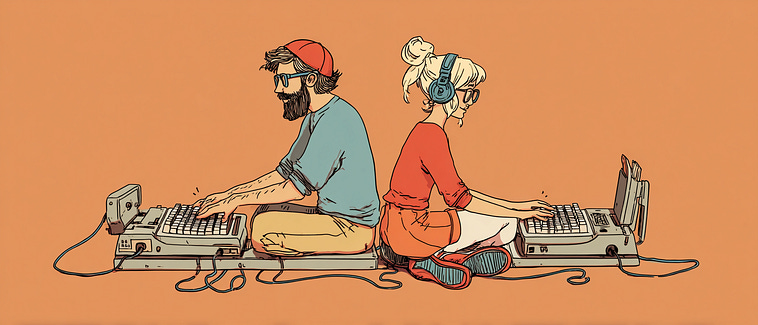
The reality of collaboration; the parallelization and synchronization of individual labor
I do not agree with some weird overcrowded nightmare where multiple people are working on the same thing, which is popular with some management styles.

Images like this make me uncomfortable; the result of stress from working under managers who prioritize cooperation for its own sake. I find it funny that some people don’t understand that too much collaboration can be a bad thing, where images like this clearly show a situation where too much collaboration is drastically harming progress.
Some managers, especially those who have been managers for their entire careers and have never built anything themselves, fetishize cooperation. Any artist, engineer, developer, health care professional, line cook, or otherwise productive member of society understands the most fundamental rule of creation.
true creation is a solitary act — Charles Bukowski
Thus, the idea is to map tasks throughout the fragmented genius which is a team. The name of the game is breaking up a project into bite-sized tasks that an individual can work on. If a task is too big, and requires multiple people, it needs to be divided.
This doesn’t always happen on the management level. It is common to assign two developers with different expertise to a single task, and they might work together to solve that task. In-reality, though, they break the task into sub-tasks then individually work on those subtasks. At some point, whether it’s management or emergent within a teams dynamics, people work on individual things alone. Knowing how granularly to dice up a task is tricky, and requires experience to get right. We’ll talk about tricks to deal with that later.
Philosophy: You Should Trust Your Team Implicitly
I think one of the biggest failings of managers is a lack of trust. It’s the main driver behind micromanagement and manipulation. When talking with managers, either within a larger company or to the owners of companies themselves, I’ve encountered some of the following statements:
“How do I know if people are actually working?”
“I don’t understand why this is taking so long. They’re either dumb or lazy”
These are existential problems that can be paralyzing for managers. The idea that you’re doling out high-quality plans, and they’re falling flat because of lazy or deceptive employees, can be draining. As a result, many managers implement complex tracking systems so they can audit productivity on a granular level.
To assuage these concerns, and save you a bunch of unnecessary effort, I’d like to share a universal truth.
Teams are inefficient because of management. There is no problem in a team that proper management can’t solve.
Or, in other words, it’s always your fault.
Because it’s always your fault, you don’t have to worry about trust. Workers are trustworthy when supplied with sufficient resources, are properly encouraged, sufficiently supported, and have a clear, compelling trajectory. People want to work on good things and be recognized for it.
A team is not a group of people who work together. A team is a group of people who trust each other. — Simon Sinek
If you get some unicorn sociopath that’s taking you for a ride, you can fire them. If someone doesn’t have the requisite skills to handle a job, you may need to fire or reposition them. Identifying such people is easy, and such instances are rare; thus, these issues are of marginal concern. As a manager, all major problems that actually happen in real life are your fault. The sooner you recognize that, the sooner you can be a good manager.
Once you develop a muscle of trust for your team, magical things happen. Individuals can work efficiently on problems, they feel they have the individual capacity to solve problems as they come up, they respect their environment and want to support it, and they feel like contributors with agency. If you don’t trust the people in a team to do their job, they can’t work as individuals, which means they can’t get anything done. Robbing individuals of their agency saps a team from it’s most valuable asset. You have to trust your team, there’s no other option.
I have never seen a genius idea coming from a team. Genius ideas always dawn on one person alone. To develop it, yes, a team is important. But to concoct a miraculous idea, it’s you — alone — Philippe Starck
There are plenty more philosophical ideas that are important to robust project management, but I think these cover the fundamentals:
Lean teams are important because they minimally fragment the genius mind
Cooperation in solving a problem is done with the alignment and parallelization of individual labor
Trust is vital in a team being able to operate effectively
I believe, with that, we can begin discussing some of the high-level approaches to project management. We’ll start with waterfall, the predecessor to agile.
Waterfall Management
Waterfall management is possibly the most obvious and intuitive form of project management. It was the predominant management style for software projects in the 70s-90s.
Essentially, the idea of waterfall management is to break up a problem into a series of steps, then execute those steps. If you’re having a hard time cleaning your room, you might decide to first put your clothes away, then make your bed, then vacuum the floor. You’ve taken the project of “clean your room” and turned it into a “waterfall” of steps
put clothes away -> make bed -> vaccum floorWaterfall can be a compelling approach, especially in the beginning of a project. However, there are some demons bound to the approach that tend to rear their heads as the project progresses. I find waterfall has two distinct phases: the calm and the storm, which I’d like to describe by way of example.
The Calm of Waterfall
Let’s build a new app. We have a team ready to go, and the boss knows what they want. To be successful, we need to make their vision a reality.
It’s a budget tracking app. Of course, like any app, it will go through several rounds of revisions, but the boss knows what’s going to make this a hit up front.
An ability to connect to one or more banks
Extraction of transactions from those banks, and categorize them into key transaction types: bills, automotive, food, and entertainment
Create a dashboard that shows how each of these categories changes over time.
An ability to compare your spending habits with other people in your region, anonymously, allowing you to honestly compare how well you’re budgeting relative to what’s common
Tools allowing you to modify your purchasing habits based on your transaction types. A user might spend a lot of money on food, but others spend a lot less. The user can get recommendations based on what other people do in order to make better purchasing habits.
The boss has been an accountant and financial advisor for 30 years. This is what they’re paid to do, and they know the business well. The app, essentially, is just automating what they already make money doing. The team sits down, and figures out all of the steps necessary to make this thing work. Here’s all of the steps they decide on:
The first step, they figure, is fleshing out the requirements a bit more. They’ll need to make some designs of different screens, and identify if there are any security requirements needed from a regulatory perspective.
The second step is to plan out the architecture that’s required to satisfy that vision. Folks start thinking about resources, database schemas, communication, environments, things like that.
The third step is to figure out how to get transactions out of banks and into our database reliably. That means selecting integration methods and building the pipeline that pulls and stores transaction data.
The fourth step is to plan out and build the algorithms required to categorize transactions into useful groups like bills, food, or entertainment, so the data becomes meaningful.
The fifth step is to build the analytics layer that aggregates those categorized transactions over time so we can see trends and patterns in spending.
The sixth step is to build the dashboard that visualizes those trends so users can easily understand how their spending changes over time.
The seventh step is to implement the anonymous regional comparison feature, aggregating data so users can compare their spending habits to others nearby without exposing individual information.
The eighth step is to build recommendation tools that help users adjust their spending habits based on what the data shows.
The ninth step is testing and validation — making sure the system works end-to-end, is secure, and performs reliably.
The final step is deployment and release, making the application available to users and monitoring it to ensure everything runs smoothly.
Sounds like a plan. The team then estimates how long each of these steps will take, and lays them out relative to each other.
Weeks →                  1 2 3 4 5 6 7 8 9 10 11 12 13 14 15 16 17 18 19 20

Requirements & Design    ██████
Architecture Planning          ██████
Bank Integration                     █████████
Transaction Categorization                ██████
Analytics Development                        ██████
Dashboard UI                                     ██████
Regional Comparison                                   ██████
Recommendation Tools                                      ██████
Testing & Validation                                          ██████
Deployment                                                         ██
The graph you’re seeing is what’s called a “Gantt chart”, and is commonly used to lay out a waterfall style of project management (technically, this might be considered a “sashimi” style of timeline, rather than a formal “waterfall”. If we’re being nerds about project management, sashimi has overlap in the timeline, and waterfall does not. For our purposes, the distinction irrelevent. It gives clear steps, clear timelines, and a clear end goal. Now we just need to make it happen.
The Storm of Waterfall
The Requirements & Design phase went faster than expected, we got done in the first week, great. The architecture planning was done in 2 weeks, fantastic; we’re ahead of schedule. At week 4 we were already working on bank integration and transaction categorization. Unfortunately, this is where issues start creeping up in the project.
Transaction categorization is proving to be challenging. All we get from the banks is an abbreviation of the transaction type. For large organizations, we can infer that WM SUPERCENTER is Walmart, and thus groceries, but there are many transactions that are not easy to categorize. On top of that, big institutions like Walmart tend to use WM, WM SORE, and other codes to refer to the same organization. When building dashboards attempting to organize transactions, you’re finding it difficult to make a compelling dashboard organizing information when businesses like walmart are several different categories. You’ve been working on this for 6 weeks, with very slow progress.
You decide to get ahead of the problem. You assume the issue will get solved, so you start building dashboards to be ready when the time comes. You build the dashboard, regional comparison, and recommendation tools pages, and populate them with fake data to start with. You show these off to prospective customers, and the results are lukewarm. People can see the value in an abstract way, but they can’t quite imagine the utility because they can’t see data that’s actually relevant to them. You need to get transaction categorization figured out. It’s now week 16.
You’ve given transaction categorization another two weeks of development, and progress has slowed. Any room for progress seems to have already been made, and there are some simply insoluble issues that undermine regional comparison and recommendation. Without well-classified categories of transaction types, each of these is essentially useless. They work great if categorization is done perfectly, but it simply isn’t. It’s now week 18.
The boss made promises to investors about the timeline, and things are starting to heat up. It’s frustrating because the app feels like it’s almost ready, but also feels like it’s no more useful to the customer than when it was on the drawing board. The team decides to hack a solution; ask the user where the transaction came from.
After 5 weeks of playing with this idea, it seems like it really just pushes the puck on the problem rather than solving it. Users might enter the name of where they got the thing from if they used the app, but the app isn’t really meant to be checked on a daily basis. Frequent users might check the app once a month to confirm their budget. Essentially, no one is willing to put in the effort to manually record this information. On top of that, there are issues categorizing what users entered. They might misspell the name of the company they purchased from, or refer to it by a nickname that some other user doesn’t use. This makes coming up with comparisons and recommendations challenging.
The team will keep trudging on for the better part of a year in an effort to execute their 19-week master plan. They reimagine the app a few times, build a new waterfall, and fail each time. It’s a painful process that consumes a criminal amount of life and human spirit, but we can spare ourselves by stopping here. Let’s discuss why everything went south.
Why Waterfall Fails
Waterfall is not a useless strategy. When used sparingly and correctly, it can be rather useful. That said, it isn’t a good tool for managing the week-by-week progress of a project, and often leads to bitter failure.
It’s an incredibly naive approach to project management, and helps to preserve that naivety far into the duration of the project. The boss was naive about how easily software could automate his job, and the technical team was naive about how easily categorization could be done. Hints of problems arose around 4–6 weeks in, but instead of changing tact the team decided to get ahead on the waterfall by implementing the front end of the app, then meeting in the middle once entity extraction was solved. Because of the exhaustive planning of waterfall, there’s a certain momentum to the plan that makes substantial changes practically difficult to even consider, let alone adopt.
At around 16 weeks, they had an app that was poorly performing enough to need effort, and was also compelling enough to justify continually working on the project. This is the worst-case scenario. It is better to have a project that fails, and you can fold with confidence, than a project that “kind of works”. Projects that “kind of work” can compel a team to spend years of their lives mulling over a fundamentally failed idea. The team, and especially the boss, doesn’t want to admit this because they have already invested months of time into getting to where they are now.
Waterfall fundamentally treats the process of project management like a “fire and forget” missile. You punch in a trajectory, hit launch, and the project flies to its destination. In reality, a software project is like a maze, with various roadblocks and dead ends that you’ll only find once you start walking through the maze. You can have a great definition of where you want to end up, but the process to get there is going to require you to consider some feedback and make adjustments.
After 20 years of waterfall being the predominant approach to software management, its flaws were being generally recognized as serious and consistent. It was clear that a new approach to software management was required. That new approach was Agile.
The Birth of Agile
Agile emerged organically across many organizations. If it had a birthday, that was in 2001 with the creation of the “Agile Manifesto”.
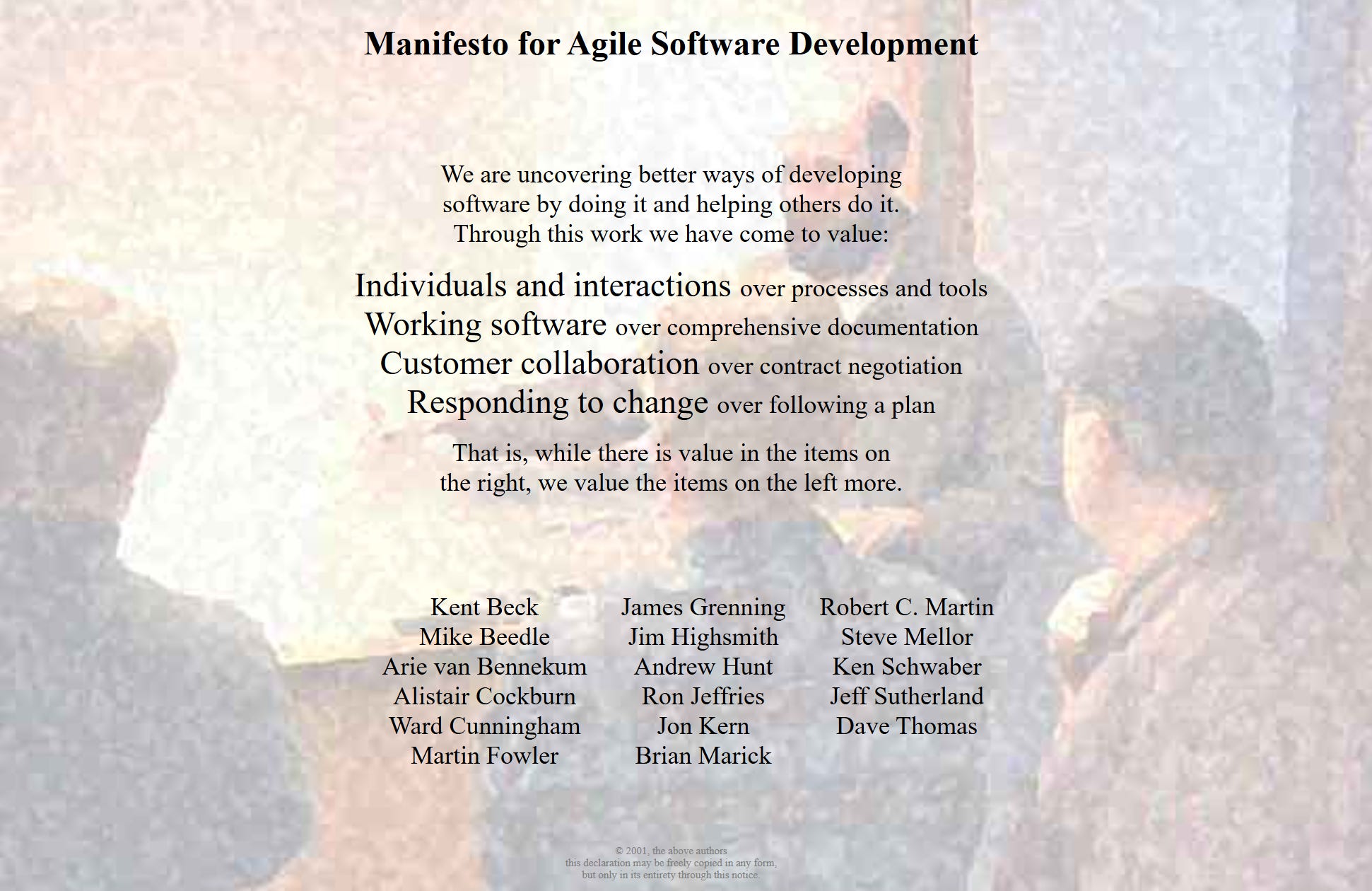
The Agile Manifesto has a Declaration of Independence vibe, like how revolutionaries freed themselves from tyranny; these developers are freeing themselves from waterfall, except these guys are wearing khakis.
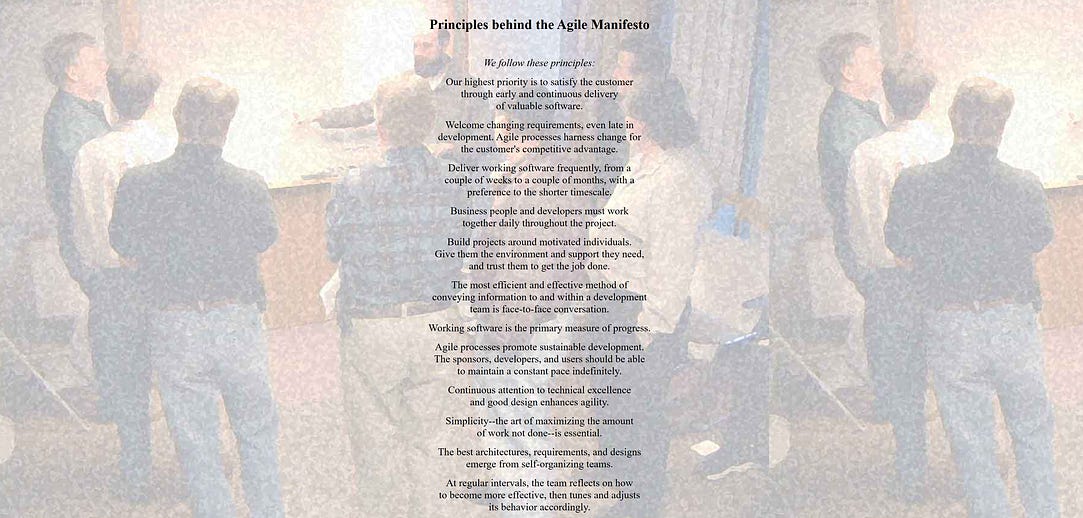
Most of the core tenets of agile are in direct antithesis to waterfall.
Responding to change over following a plan
Deliver software with a preference of a shorter timescale
At regular intervals, the team reflects on how to become more effective
I was four years old at the time, so I can only imagine the emotions that caused a group of independent technical professionals to create this manifesto, then millions of others to adopt it. In my experience, waterfall is a frustratingly attractive management approach for non-technical people, who are often the people who call the shots in larger companies. CEOs do not respond well to ideas like “sometimes the best plan is no plan”, and generally don’t understand the significant sacrifices they make in exchange for the false security of a waterfall-style plan. To me, the Agile Manifesto seems like an attempt to pool credibility into a single idea so it can be better sold to non-technical managers who, otherwise, through fear of the unknown, attempt to squeeze the square peg of a software project into a round hole of end-to-end certainty.
Thus, the Agile Manifesto isn’t really a guide to how a project should be run, but a core philosophy legitimized by hundreds of signatures from important technical professionals.
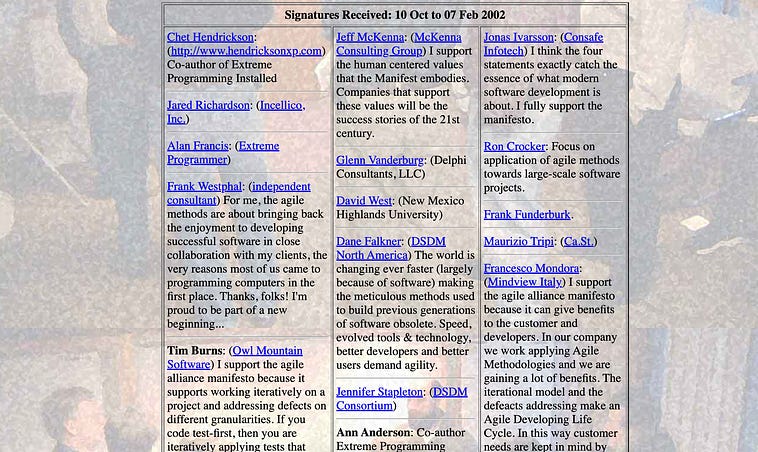
some signatures to the agile manifesto. Source
Its core tenets are continual collaboration and adjustment of the vision of the project, with a focus on rapid delivery so that unknowns can be discovered and addressed as quickly as possible. There are numerous ways to actually “do” agile project management. We’ll be discussing two: Kanban and Scrum. We’ll start with Kanban, the simpler of the two approaches.
Kanban, an Agile Approach to Project Management
Kanban was originally developed to help make manufacturing processes more efficient for Toyota in the 1940s. Since then, it’s transcended its roots and become a common way to manage agile and iterative teams.
Part of the reason Kanban is popular is because it’s so simple. It consists of only two fundamental parts; tickets, and a board to organize those tickets.
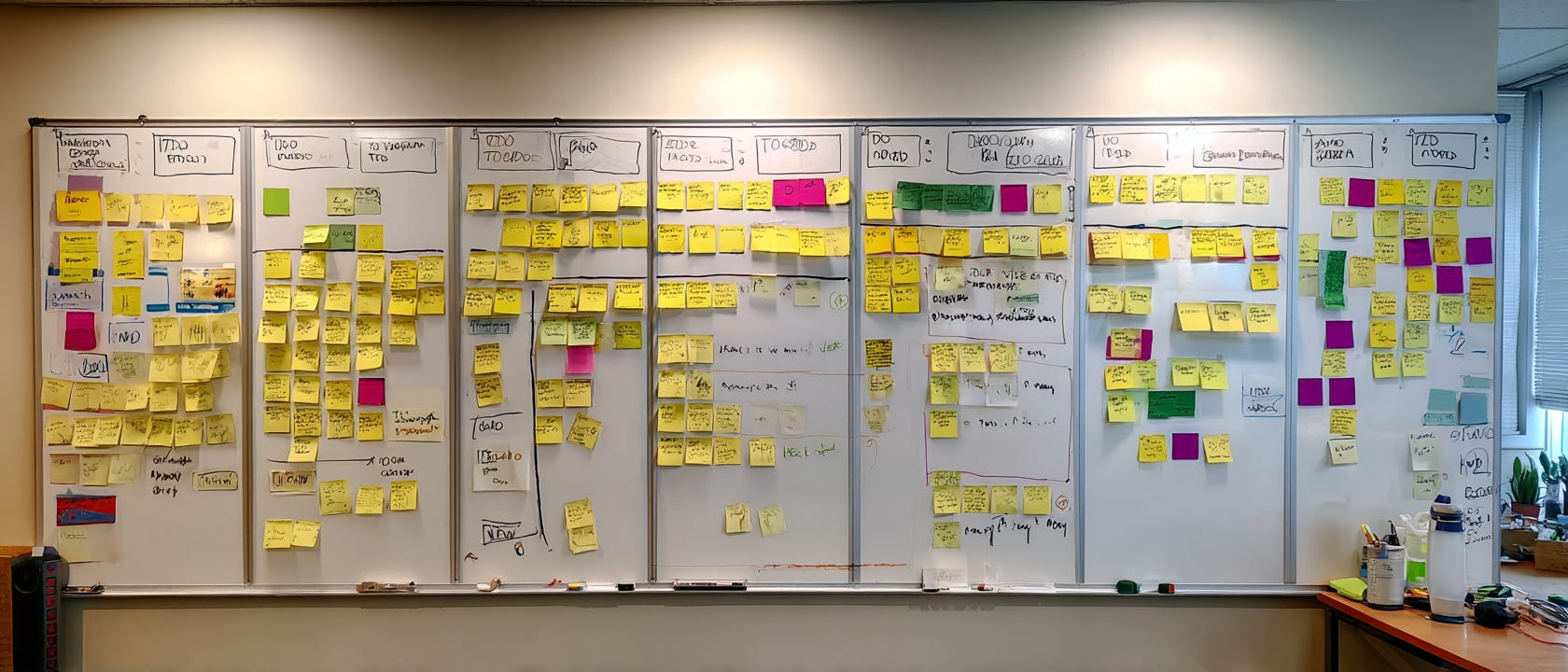
A ticket is a unit of work that your team can do in a reasonable amount of time. In most management styles, a ticket should be accomplished by your team in a few days, or two weeks tops. The kanban board organizes these tickets into columns, which represent the state of the work. The most quintessential kanban board is “TODO”, “In Progress”, and “Done”
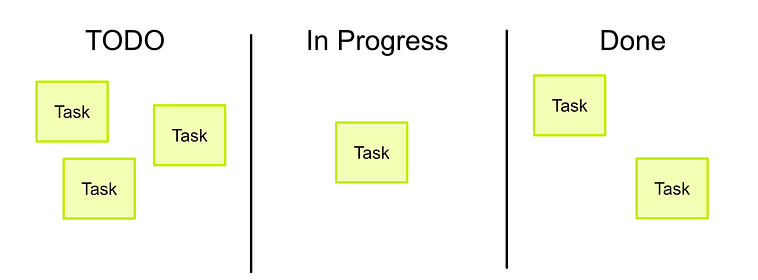
A kanban board with TODO, In Progress, and Done
But there are also other columns you can choose to include. You can add one for a “backlog”, where you can plan tickets before assigning them to developers
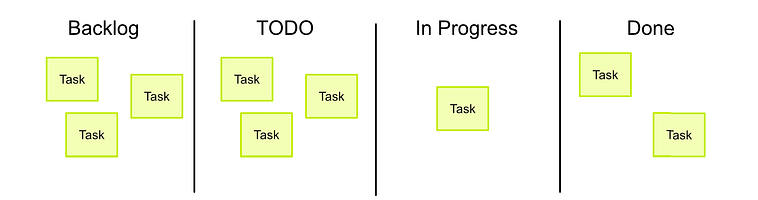
If you find there are bugs and issues in your product, and you want to tighten up testing, you can create columns specifically for more robust QA practices
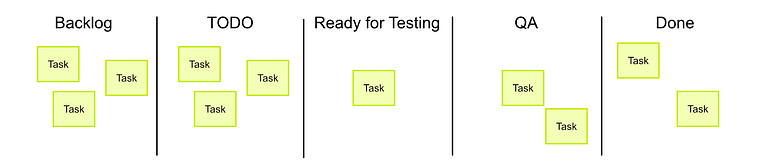
Kanban boards can be very complicated. I would caution you, though, to keep them simple. A simple kanban board is a powerful thing, and you can always add columns as the necessity arises. Too many columns can cause confusion and bloat a project, inhibiting performance.
Once you have a board, you need to put tickets on it, which define what people will be working on. The creation of tickets can be a complicated thing, and a perfect ticket can depend on the team and context. For small teams, this is my playbook for creating high-quality tickets:
Kanban Story Tickets
Recall the fundamental goal of project management: to distribute effort throughout the fragmented genius of a team to create tasks of work. These tasks then need to come back together to make a single and cohesive product. Tickets, the subject of this section, define what people are working on. Thus, they are the direct tool a manager uses to distribute work and make sure that work aligns well with the final product.
Unfortunately, tickets are sometimes defined in a way that fails to move the product forward. Tickets stop making sense, developers finish a task only to find that another ticket essentially undoes their work, or as the developer finishes the ticket they find the design of the application has completely changed, rendering their efforts useless. When tickets are poorly defined and managed, there’s a lot of work, but not a lot of productivity.
When I was getting started, the thing that got me out of this rut was story tickets. I learned the trick from a fantastic freelance project manager by the name of Mike Shourky. While much of what this article contains is from my own experience, I learned many of the ticketing tools in this article, as well as the soul of my convictions, from Mike. If you need a project manager, I highly recommend checking him out.
Generally speaking, all work that developers do should be for someone. That might be a user, a tester, or the developers themselves. Any time a developer sits down and makes something, they should do it for the benefit of someone. The idea of a user story is to make it easy for multiple developers to understand the “so what” of a particular ticket, so that the developers can work together on the problem.
Imagine a ticket on a kanban board that only has the following text:
The app is hard to use, it should be easier
This ticket sucks. What does this mean? Should a designer take this ticket up, or should a developer? What does a successful execution of this ticket look like? When is it done?
This style of ticket causes frustration in teams and leads to a whole lot of effort, without a lot of productivity. Now imagine another ticket about the same problem.
The app is hard to use, it should be easier. To do that, make the button on the third screen slightly larger, make the text 2pt larger across the board except for titles, add a confirmation page that says “are you sure you want to submit” on the submission page, and change the high contrast version of the text from a dark to a light blue.
Better, but still not good. This leans too far in the other direction. It micromanages the specific things you want done, and robs your team of agency. The success of this ticket is to do the laundry list of things specified, not to actually make the app easier to use. If these various changes fail to achieve the desired effect, the developer will be put in an awkward position of implementing something counterproductive. Also, it’s ignorant of the fact that you, the manager, are talking with someone who knows more about front-end development than you do. It doesn’t allow them to use their knowledge and expertise to do better than what you had imagined. With this approach to ticket creation, everything the team does is limited by the ignorance of the manager, which defeats the entire purpose of a team.
In my experience, for a small team, the best type of ticket is this:
An increasing number of senior citizens are using our app. Based on conversations with those users, their main issues appear to be that they don’t understand navigation, have a hard time reading the screen, and often mis-click on buttons they didn’t mean to. Through more thorough research, it appears that their main issue with navigation is that they have a hard time with the tray, which they say “goes away too quickly” when they click things.
It seems, as a senior citizen, it would be better if:
- Text was bigger and easier to read
- Buttons were better spaced to avoid misclicks
- The collapsing of the nav tray was rethought.
This ticket is head and shoulders better than the previous two. It allows a developer to understand the reason they’re solving the problem, which is critical in giving them the tools to do their job effectively with agency. Immediately, the team can work together to imagine subtasks:
A front-end developer can work on the logic for tray collapse
A designer can work on redesigning the UI to be better.
Perhaps the same front-end developer can take the designer’s output and implement it
They can then work through the ticket, discussing problems as they arise, with the goal of the end user in mind. I won’t be so bold as to say this ensures the end result will align with what the customer wants, but with a decent team, this will likely get knocked out of the park.
This idea of using the customer’s perspective first is what’s generally referred to as a “user story”. Some project managers are even deadset on always creating tickets like it’s an actual story, sometimes using the phrase “as a ____” before every ticket.
As a senior citizen, using the app is challenging. Buttons are close together and clicking them is difficult. The navbar collapses unexpectedly when I don’t realize my fingers brush the screen, and the text is often too small to read.
Some even go so far as to imagine a prospective user
Gerold is a senior citizen with mild dementia and motor control issues, and he needs to use our app. He doesn’t want to, but needs to. He finds using the app challenging; buttons are close together and clicking them is difficult, the navbar collapses unexpectedly when I don’t realize my fingers brush the screen, and the text is often too small to read.
Personally, I find these to put the ball a bit too far in the developer’s court. It’s the developer’s job to implement solutions; it’s the project/product manager’s job to understand customers. I do think user stories can go a bit too far, and require developers to imagine specific people that they’ve never seen. Regardless, though, I think too much story is better than not enough. The correct balance depends on the team and the product.
Often, the user story is sufficient, but there are some other things that can make your tickets even better.
Acceptance and Testing Criteria
You need to give your team enough freedom to act autonomously, but not so much slack that they hang themselves with it. The goal of a good ticket is to be a north star for developers. It’s important that it leaves room to do their job but without causing substantial confusion.
Let’s take the issue of “The collapsing of the nav tray needs to be rethought”. This can be interpreted in a litany of different ways. Imagine if, through your conversations with seniors, you’ve found that they accidentally swipe, tap, and misclick in the navbar. You can frame this in a user story if you want, but including all these specifics can lead to a long story and misinterpretation by the developer. You might not understand this, because you’ve read to this point in the article, but there are plenty of people who simply hate reading more than a paragraph or two. Thus, for specifics, it’s sometimes a good idea to include them in “acceptance criteria”, rather than the story.
User Story:
An increasing number of senior citizens are using our app. Based on conversations with those users, their main issues appear to be that they don’t understand navigation, have a hard time reading the screen, and often mis-click on buttons they didn’t mean to. Through more thorough research, it appears that their main issue with navigation is that they have a hard time with the tray, which they say “goes away too quickly” when they click things.
It seems, as a senior citizen, it would be better if:
- Text was bigger and easier to read
- Buttons were better spaced to avoid misclicks
- The collapsing of the nav tray was rethought.=============================
Acceptance Criteria:
AC1: Text is bigger
AC2: Button design avoids misclick
AC3: Nav tray less prone to frustration
— AC3.1: clicking out of the navbar does not collapse the navbar
— AC3.2: swiping the navbar to the right does not collapse the navbar
— AC3.3: There is an explicit way to close the navbar, like a big “x”
There’s a lot of text here, and developers who are used to inefficient communication might roll their eyes, but notice that most of the information is repeated. If you’re interested in quickly understanding specific tasks, you can reference particular acceptance criteria. If you want to understand the “why” of what’s being asked, you can reference the user story. When you think about how much is being communicated and the amount of work the team will be doing based on this ticket, it’s actually remarkably brief.
Often this is enough, but different teams have different QA policies and capabilities. Some developers test everything they do to the 9s, and other developers are overemployed, working at a contracting agency, and are enticed to push tickets as fast as possible. Depending on these realities, it might also be useful to include “testing criteria”, like this:
User Story:
An increasing number of senior citizens are using our app. Based on conversations with those users, their main issues appear to be that they don’t understand navigation, have a hard time reading the screen, and often mis-click on buttons they didn’t mean to. Through more thorough research, it appears that their main issue with navigation is that they have a hard time with the tray, which they say “goes away too quickly” when they click things.
It seems, as a senior citizen, it would be better if:
- Text was bigger and easier to read
- Buttons were better spaced to avoid misclicks
- The collapsing of the nav tray was rethought.=============================
Acceptance Criteria:
AC1: Text is bigger
AC2: Buttons avoid misclick
AC3: Nav tray less prone to frustration
— AC3.1: clicking out of the navbar does not collapse the navbar
— AC3.2: swiping the navbar to the right does not collapse the navbar
— AC3.3: There is an explicit way to close the navbar, like a big “x”=============================
Testing Criteria:
TC3.1: When the navbar is opened, and the empty area outside of the navbar is clicked, the navbar does not close.
TC3.2: On a navbar, swiping up, down, left, and right does not close the navbar, when swiping on any portion of the screen.
TC3.3: The navbar “x” is sufficiently out of the way so it won’t accidentally be clicked, and is big enough to be easily seen.
Generally, testing criteria are assigned to specific acceptance criteria. Testing criteria can serve two very important purposes:
It allows you to be crystal clear about non-negotiable aspects of the ticket, perhaps going into edge cases that the developer should consider.
It allows you to keep the team honest in environments where QA is lacking.
Previously, I said you should trust your team implicitly, meaning that should be your default mode. If the quality of their work is poor, you might want to work with them to build more robust QA practices and help them along with high-quality testing criteria. If, even after creating high-quality and thorough tickets like the one highlighted above, you still get buggy software, then you know you need a new team. One of the great things about taking responsibility for management is that, if you do a great job, it’s clear to see where inefficiencies or dishonesties lie in terms of effort.
Blame can be uncomfortable, but it’s actually incredibly healthy. As a matter of course, I avoid making technical recommendations to my team. Sometimes I share thoughts on what I might do if I were in their shoes, but only when I deem that absolutely necessary, and I always qualify that it’s a thought, not a suggestion. It’s my team’s job, and my team’s fault, if there’s a technical failure. If I tell them how to do this or that, it’s unclear whose fault it was: mine for a bad idea, or theirs for poor implementation. By not governing granular technical decisions, it preserves technical responsibility and ownership where it belongs: with the developers.
Likewise, it’s up to the managers at my company to come up with what the product should do. If the product fails due to misalignment with user need, then it’s not the technical team’s fault. The objective of clear blame is not to point the finger and get nasty when things go south, but rather to know the source of issues so they can be addressed effectively, and to make sure ownership of responsibility doesn’t change throughout the course of a project. In a healthy team, blame is a very good thing and helps to keep people happy and civil, even in the most trying situations. Both acceptance and testing criteria can help with that.
Here’s my template for feature tickets, should you find it useful. Thanks to Mike for teaching me this template:
Story:
<optional brief TL;DR description>Acceptance Criteria:
<A list of things the end user of the feature needs, from the users prospective
AC1: As a user I need this
AC2: Admins will also use it, and need this
…>Testing Criteria:
<A list of tests to ensure the acceptance criteria are met
TC1: It needs to work
TC1.1: This needs to work
TC2.2: This needs to pop up in this case
…>Design Assets:
<Figma links, documents, etc. Should be finalized before ticket starts.
May need other ticket to create these first>
Kanban Bug Tickets
A common point of frustration for many teams is that non-technical people find issues, but developers can’t solve them. This leads to the same bugs popping up over and over again. Non-technical teammates are frustrated that the bugs they find aren’t being resolved, and technical staff is frustrated because they don’t understand the bugs being communicated to them. In my experience, the issue is that non-technical people have a hard time understanding what information is necessary to clearly communicate bugs so that devs can address them. The solution to this problem is a bug ticket.
While feature tickets contain stories, bug tickets contain the necessary information to clearly and consistently communicate a bug to a developer. Here’s my template, again, thanks to Mike.
Observed Behavior:
<the bug that did happen>Expected Behavior:
<what should have happened>Environment:
<any information necessary. Browser, url, a commit, etc.>Steps to Reproduce:
<a textual series of steps to re-produce>Assets:
<images/videos>Tests:
<Tests to make sure the bug is fixed>
i.e.Test 1)
Do this, then this, then this
Should see this, without thatTest 2)
Do this, then this, then this
Should see this
…>
Some people are too lazy to fill out all this information, and instead expect developers to naturally know what happened when the bug occurred. Not all of the information is strictly required, but all of it is necessary. The more information, the better. A well-formed bug ticket can be the difference between a developer taking hours or minutes to solve a problem. If you find an issue, it’s your job to thoroughly document it.
Here’s an example of a filled-out bug ticket for our fictitious app.
Observed Behavior:
Pressing the new “X” button on the navbar, the navbar does not close. After further testing, it appears this happens consistently on the home page. Did not see it happening when the app is on another page, but I did notice there was a delay in closing when navigating from the home page to another page before pressing “X”Expected Behavior:
The “X” button closes the nav bar on all pages instantly, regardless of navigation.Environment:
The es3952 release of the app on a Google Pixel 9a. Issue found 12:33 PM CT 2/27/2026Steps to Reproduce:
1. Open the app
2. Navigate to the home page
3. Open the nav tray
4. attempt to press “x”, will not close
5. Navigate to another page
6. Press “x”, the navbar closes with a delayAssets:
<images/videos>Tests:
Test 1)
- Open the app
- Navigate to the home page
- open the nav bar
- press “x”
- navbar should close instantlyTest 2)
- Open the navbar
- go to the home page
- go to another page
- press “x”
- navbar should close instantly
Because you, as the reporter, don’t actually know what’s causing the issue, you don’t know which information is irrelevant. If you don’t report all of the important things, it’s very hard for a developer to tackle the more pernicious issues. In other words, if you don’t make bug tickets thoroughly, you might as well throw your product in the trash.
Despite the importance of thorough communication around bugs, half-baked communication remains a consistent issue in the industry. One of the jobs of a software project manager is to make sure bugs like these are communicated effectively.
In my opinion, a software project manager, or product owner, should be testing the app regularly. This might be done with formal testing sessions or simply through their usage of the app while imagining new feature improvements. I’ve found, in my career, the best bug tickets are made by the manager of the product, and bug tickets don’t end up making the project more robust if the person managing the tickets doesn’t have skin in the game. Having a testing team can be helpful, but the manager testing the app is arguably more important.
The Application of Kanban in Project Management
We’ve talked about the tools of Kanban, but not what managing a team with Kanban looks like on a daily basis. Let’s spend some time discussing how tickets might flow through a kanban board. Let’s start with the thing that gets tickets on the board, “ticketing meetings”.
Ticketing Meetings
A ticketing meeting, in essence, requires decision makers in the team to sit down together and agree on user stories and acceptance criteria. The end goal of ticketing meetings is to make high-quality tickets that developers can then work on.
It’s fascinating how often people haven’t considered the implications of a product having two ideas simultaneously, or how a feature idea might lead to a substantial amount of confusion rather than an improvement in the product. These issues are especially common in the early phases of a new product, which is when ticketing meetings are of utmost importance. It’s vital for the major stakeholders to sit down and agree on the specifics of all tickets before the technical team implements anything. The best way to do that is to create and think about various tickets as a group.
Depending on the decision makers in the team, and their availability and interest, you might adopt slightly different approaches on how tickets get created. You might draft tickets based on discussions you’ve had with the team, then the drafted tickets you created are approved/modified/withdrawn in ticketing meetings. You might decide to take a more passive role and mediate the creation of tickets based on the input of various stakeholders in the team. A hustler/hacker team of two is going to have very different ticketing meetings than a team of three subject matter experts in a regulated industry; there’s no universal approach. The only formal requirement, I think, is that the major stakeholders agree on user stories. Achieving agreement is a very important step towards making sure the ticket is actually worth working on, and won’t be undermined by future initiatives pushed by a stakeholder.
Ticketing meetings are generally required when the backlog of tickets is low, which will be the case when a new project starts off. Thus, at the beginning of a new project, it’s common to have numerous back-to-back ticketing meetings to build out a healthy backlog of tickets. Once you feel like you’ve created a healthy backlog that describes the team’s ideas of the product without major missing pieces or logical inconsistencies between tickets, then development can begin.
Ticketing meetings are often stressful for a new team. They can be long, especially at the beginning of a project. They’re often required when it seems like there’s a lot of other things to do, and they can raise disagreements that boil tempers. The most important job of the project manager is to keep the team healthy, so I have a few rules I’ve learned based on my experience running these:
The main reason non-technical stakeholders avoid ticketing meetings is that they think they’re a waste of time. They think this because they don’t understand how specific software development is, and how hard it is to do without clear direction. Communicating that developers will be spending days or weeks working on each ticket can help people realize how small they are relative to the amount of work they govern.
Be flexible. The end goal is that stakeholders agree on tickets. Different situations might require different approaches. You might want to start with a single ticket that requests different ideas from a designer, like:
“As a person managing this product, I don’t know which approach to take, and mockups would be helpful. Currently, there are a few ideas that are compelling…”.
The stakeholders in the ticketing meeting can then make tickets with these designs in hand, allowing the team to reason about tickets based on something concrete. You can also just go ahead and draft tickets yourself, even if you don’t know what you’re talking about. Sometimes, communication is smoother when people are referencing something concrete rather than coming up with it themselves. Having a bad ticket that people disagree with for specific reasons can be more productive than having no ticket at all.Communicate that early ticketing meetings are an up-front investment. Once the project is up and running, they will quickly reduce in duration and frequency.
As previously mentioned, ticketing meetings are triggered when the backlog is low. They can be stopped when there is a healthy list of items in the backlog. The goal is to have ticketing meetings before developers run out of tickets, so you can constantly supply your team with high-quality tickets that have been approved by stakeholders. Once a project is rolling, I like to have ticketing meetings when the developers are around a week or two away from running out of tickets to work on.
Pull-Based Development
One of the key ideas of kanban is that, from the developers’ perspective, there’s not a concept of priority. All of the tickets in TODO need to get done, the earlier the better. It’s up to the developers to choose which tickets are the most accomplishable right now. In Kanban-style projects, developers aren’t assigned which tickets they should work on. Rather, they “pull” new tickets from the backlog when they have bandwidth to do so.
This results in a continuous flow of tickets. In essence, the team runs like a wood chipper; the manager feeds in tickets, and the team chews them up as fast as possible. If a ticket is introduced that grinds things to a halt (like our transaction classification problem in the waterfall example), it’s removed from circulation and the management team rethinks the ticket, with feedback from the developers, before re-introducing a revision.
Technically, ticketing meetings and pull-based development are all that’s necessary to implement Kanban, but there’s another important step that I typically adopt when employing Kanban in a project.
Pointing Sessions
Non-technical stakeholders might have ideas for a product, but they might think twice about asking the technical team to implement a ticket if they knew how long that ticket would take. Once tickets are created, it’s often a good idea for the technical team to review the tickets and assign points to them. These points serve as an estimate of implementation cost, so the management team can choose what’s worthwhile to put in the TODO column.
At the beginning of a project, the team assigns points based on how many days a ticket will take to complete. However, as the project progresses, points have a tendency to become a form of currency in themselves, loosely combining the ideas of implementation time, uncertainty, testing, and other important concerns.
Inevitably, pointing sessions result in technical questions, discussion, and clarification. The developers read the ticket, then may have questions that need to be answered before they can come to an estimation. Developers, I’ve found, are good at productively having these discussions within the context of a ticket, so long as that ticket is well defined. Non-technical stakeholders often get confused, and thus distract and derail the conversation with questions and clarifications that are not relevant. Often, I’ve had pointing meetings go an hour over because of unproductive input from a well-meaning but ignorant and anxious stakeholder. I’ve also had important meetings be cut short when a non-technical stakeholder becomes bored with the technical conversation they don’t understand, which was, in reality, very important and had to be continued afterwards in Slack. I generally avoid information siloing. I don’t think it’s productive, and it inhibits cooperation. That said, I’ve found that having non-technical decision makers in pointing meetings is counter-productive, and I tend to avoid it.
As a project manager of software projects, a big part of the job is to be a liaison between the technical team and the business team. Both of these teams speak very different languages and operate based on very different rules. Sometimes it’s good for everyone to gather round the fire and share in one big ticketing kombaya, sometimes it’s best to keep these meetings tight and lean. There’s no right answer. In my experience, things work best when it’s just me and the management team working on ticketing sessions, and it’s just me and the technical team working on pointing sessions. An occasional get-together with the whole team is sometimes productive, but as a rule, having a single voice (the project manager) serving as a messenger between both teams, paired with high-quality tickets, maximizes information availability while minimizing confusion.
There are frequent exceptions, but this is a healthy approach most of the time. I should qualify this by saying I’m a software developer with years of experience running businesses, so I’m uniquely qualified to be that “man in the middle”. Depending on your capabilities, the team, and the various personalities and communication styles, you might find that a more integrated team is better.
A Review of Kanban, and My Thoughts on Its Application
In Kanban, you often establish what is worth doing by having ticketing sessions and filling out a robust backlog. You then talk to your development team, have them point tickets based on their user stories and acceptance criteria, and move the tickets you think are worth doing into the TODO column. The development team then works through the TODO column, working on them in the WIP column, then moving them to Done or some other QA process.
An example of a kanban board
I think it’s useful to reflect on how different this is from a waterfall style of management. There is a high level “plan”, but it’s encoded in the backlog. As developers are working on tickets, the backlog is being worked on at the same time based on constant communication and feedback between the technical and management teams. The inevitable result is that the plan changes based on what is happening with development, and development reacts as the plan shifts.
This fundamentally iterative approach is what makes Kanban “agile”; it doesn’t treat the project as a fire-and-forget missile, but encourages managers and developers to modify the scope and priorities of the project based on the progress of the project.
Kanban is a fabulous approach to project management, especially in small startups working on an unsure product and in unstable financial situations. Kanban, in its simplicity, is very robust to shifting on a dime, stopping abruptly, and restarting again. The lack of management overhead makes it particularly agile, which is why I adopt Kanban as my primary management style when working on brand new projects.
Once a project has some legs, though, the lack of formality of Kanban can become a hindrance. Don’t get me wrong, it’s perfectly servicable even at larger scales, but when things get complicated some more structure can make things a bit better. In these situations, “Scrum” is a great option.
Scrum, Another Agile Approach to Project Management
Scrum can largely be seen as an extension of Kanban, enforcing certain roles, ceremonies, and core tenets on top of the structure of Kanban.
Scrum’s roots are debatable, but by many accounts they go back to 1986, when Hirotaka Takeuchi and Ikujiro Nonaka published a Harvard Business Review article titled “The New New Product Development Game.”
The New New Product Development Game discusses a general trend in the cutting-edge companies of the 1980s. They described high-performing teams (Honda, Canon, Fuji-Xerox) working like a rugby team, passing the ball back and forth dynamically as it moves down the field. If you’re interested in project management, I highly recommend giving this document a read. It has some old school ideas (like intentionally putting teams in do-or-die situations) that I think are a bit out of vogue, but the majority of it, I completely agree with, and I think its insights remain relevant to this day.
Scrum (which also gets its name from rugby) took the general ideas from The New New Product Development Game, as well as other points of inspiration I’m sure, and defines a single and prescriptive framework for project management. The central document of Scrum is “The Scrum Guide.”
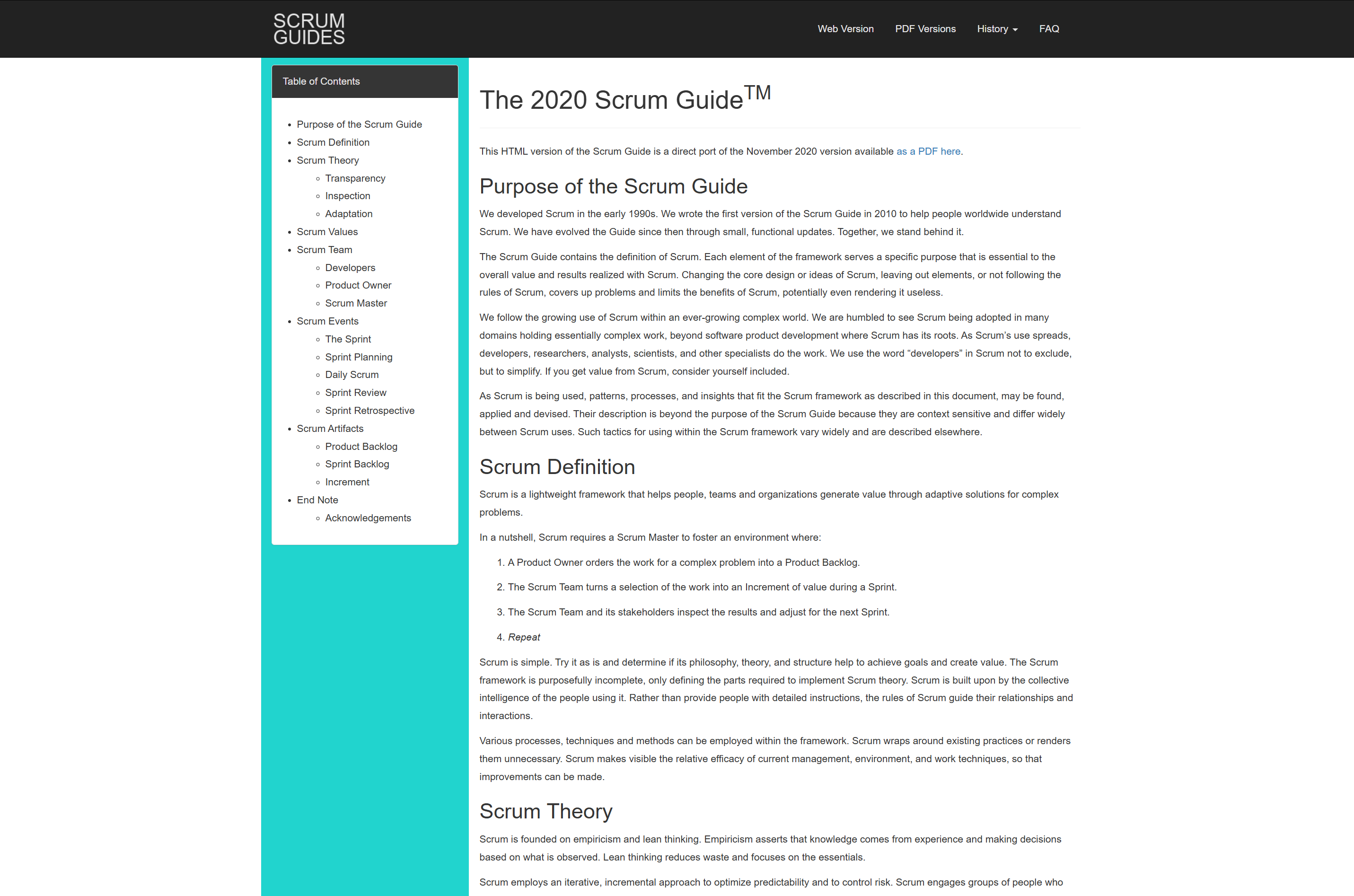
This document describes the core theory of Scrum, how Scrum defines a team, the core things the team does (called Scrum events), and what tools and record-keeping systems the team uses to organize themselves (called Scrum artifacts). The Scrum Guide isn’t particularly long, I recommend reading it if you consider adopting Scrum. I won’t be covering every idea, but we can go through it from a high level.
Core Values of Scrum
Scrum adds to Agile the idea of introspection. At regular intervals, the team re-examines past work in order to find flaws in their processes and to make improvements to how the team works. This essentially turns the process into a part of the project itself, expecting it to be adjusted continually to meet the demands of the project and team.
To make sure appropriate agility and introspection are met, Scrum enforces key roles.
Roles of the Scrum Team
As we’ve discussed with Kanban, Agile approaches to project management require certain people to take initiative in terms of how tickets are created, who does work, who manages the team, etc. In Kanban, these are amorphous ideas that get picked up organically. In Scrum, there are three rigidly defined roles that defines who does what within a team.
Developers: These are people in the team responsible for creating
“usable increments of work”. An increment of work, in Scrum, is a task that moves the project towards its end goal. These are the people working on tickets.The Product Owner: This person is responsible for maintaining a healthy product backlog. They do that by talking with stakeholders and potential customers to clearly define the goal of the product, and working with developers to ensure that backlog items are clearly defined.
The Scrum Master: The person responsible for the teams efectiveness. This person is, essentially, responsible for the application of Scrum in general; they help team members understand how to self-manage themselves and work cross-functionally, help the scrum team in general to define high-quality tickets that move the project forward, and help to improve the team to ensure they’re generally operating maximally in all core steps of the Scrum process.
One person can wear many of these hats, and the hats can change from person-to-person as the project progresses, but the hats themselves are well defined. One of the most fundamental ideas of Scrum is that there is no hierarchy of roles. The product owner, scrum master, and developers all exist on an equal footing. They have different jobs, but all are vital, and thus no job is more important than another.
These different roles typically work together through key events throughout the project lifecycle.
Scrum Events
The main thing in Scrum is a “sprint”. A sprint is a time-boxed unit of work. The exact timebox can change from team to team; a sprint can be one week or one month. Two-week sprints are a common standard.
Pretty much everything in Scrum happens within a sprint. It starts with something called a “Planning session” where the entire scrum team gets together and discusses tickets in the backlog which the product owner created, and how they relate to the goal of the sprint. The official Scrum Guide lists three goals of a sprint planning session:
Define why the sprint is valuable (how will this move the product forward)
Define how much work can get done, realistically, within the sprint timeline, that satisfies the goal
Define how the work will get done. This is up to the developers alone to decide, based on the sprint goal and the definition of each ticket. Each ticket is divided into sub-tasks which take about a day to accomplish
Regardless of the specifics, Sprint planning gets done, then work can begin. Once work is progressing, the Daily Scrum (another event) is used to keep a pulse on the project and make sure it’s progressing well towards the final goal. This is a 15-minute developer meeting, same time every day, where developers talk about what they will be working on the following day.
As I previously mentioned, developers are naturally good at these types of conversations based on their closeness to the work. Thus, Scrum doesn’t assign many rules around the event…
“as long as their Daily Scrum focuses on progress toward the Sprint Goal and produces an actionable plan for the next day of work” — The Scrum Guide
As the sprint draws to a close (in formal Scrum), a “sprint review” is called. The scrum team and stakeholders review what has been completed in the sprint, and discuss what should be done next. The Scrum guide says one should avoid this from becoming a “presentation” and should instead be a “working session” where the scrum team and stakeholders review the backlog and make adjustments. Finally, a “Sprint Retrospective” is called. The team is encouraged to review their own work, spot inefficiencies, and attempt to alleviate those so that the next sprint is more productive.
You might notice that… this is a lot of meetings. For bigger, well-funded teams working on big problems, a one-month sprint with all the formal meetings can be vital. For smaller teams, these rules are often modified to make the meetings shorter or less frequent. When managing a well-funded team, it can be beneficial if the entire scrum process is exposed to the entire team. When working with a smaller team, I often organize the team in a leaner kanban style, and do Scrum-inspired reviews and retrospectives by myself. This keeps me accountable as a manager, and preserves the introspective spirit of Scrum, without forcing the entire team to sit in for hours of meetings every two weeks. I’ll talk more about my approach later; for now, let’s move on to another important Scrum concept.
Scrum Artifacts
Formally, in Scrum, there are three key artifacts:
The Product Backlog: This is a backlog of well-defined tickets, made by the product owner, which can be done within one sprint.
The Sprint Backlog: The tickets selected from the product backlog to be eligible for development in the current sprint. This is decided on in the sprint planning session
An “Increment”: “Increments” are basically just tickets. It’s a unit of work that a developer works on. You can also define an increment as a task, or a sub-task. Really, it’s a matter of semantics.
In formal Scrum, each of these comes with a “commitment” associated with it. A commitment is the overarching “why” of each of these artifacts. The “Product Backlog” is paired with a “Product Goal”, the “Sprint Backlog” is paired with a “Sprint Goal”, and each “increment” is paired with a “definition of done”.
My Thoughts on Formal Scrum
I think Scrum has a lot of great ideas which, in their totality, are a bit overkill in most situations. I think Scrum has a lot to say about how a team reviews itself, which I find is practically easy, and not a lot about how tickets should be defined so that they result in substantive improvements to the product, which I find to be practically challenging.
If you have a team of 5–10 devs, all working together in a single office on a complicated system, the formal scrum approach can offer certain advantages that keep the team honest. Practically, though, I think the spirit of Scrum, and its focus on planning and review to bookend a sprint, are the true benefits of the approach.
The Scrum Guide has some things to say about this, which I find a bit melodramatic.
Changing the core design or ideas of Scrum, leaving out elements, or not following the rules of Scrum, covers up problems and limits the benefits of Scrum, potentially even rendering it useless….While implementing only parts of Scrum is possible, the result is not Scrum. Scrum exists only in its entirety and functions well as a container for other techniques, methodologies, and practices.
I think Scrum, as it’s defined, suffers from a bit of a lack of trust. It assumes the scrum master and product owner won’t work together when they realize that the process is not as efficient as one might like. Instead, Scrum forces the whole team to sit down every sprint and have an obligatory meeting. If you’re not having that meeting, then you’re not doing Scrum.
I like pretty much all of the ideas of Scrum, besides its focus on rigid adherence. I think different environments, and the different managers and teams in those environments, require slightly different tactics to be successful. Personally, I rarely do Scrum in its entirety (I often work with stakeholders who do not have the patience to do all of the Scrum events, even if I wanted to).
I want to share my approach, which is a hybrid of Scrum and Kanban with a few other tricks built in. I have two core strategies for software management, one for new products and one for mature and well-defined products. We’ll start with my approach to managing a team working on a new product.
A Modern Approach to Agile Project Management For New Products
This is my approach to project management, but it’s not mine alone. Mike taught me a lot of these tricks, and the general approach seems to be a common settling point for many teams that I’ve talked with. It’s a hybrid of Kanban, Scrum, and a few other ideas from lean entrepreneurship.
I essentially function as the product owner and project manager in most of the teams I manage. Typically, I don’t know the most about the product (that’s usually a stakeholder, like a CEO, COO, or CPO). Instead, my role as “product owner” is to own the backlog of tickets. I work with people knowledgeable about the product to do that. I then work with developers to manage how those tickets are worked on and when.
A new project starts with a lot of ticketing meetings. I, and several stakeholders, sit down and hammer out what we think the product should be like. This requires settling on who the customer is, what they want, and how we’ll help them. Practically, this touches on other skills besides project management, like customer discovery and go-to-market strategy. For more information on those topics, I recommend reading The Lean Startup by Eric Ries and Crossing the Chasm by Geoffrey Moore.
At this early phase of ticketing meetings, my main job is to keep the team focused. We’re not worried about technical specifics, or even designs. We’re interested in broad strokes functionality of the product, how synergistic different functions are with each other, and how we can provide value to the customer. Frankly, the goal isn’t even to figure out what the end product will look like, but to create a trajectory for the team. Dreaming up a product is a means, rather than an end, to establishing a trajectory. Inevitably, throughout the development process, the vision of the product will change as we get feedback from customers.
After we establish a laundry list of features, these broad strokes are filtered through the lens of what’s referred to as the “minimal viable product”. This is the minimum set of functionality that’s required to create something that the user will actually want and pay for. This, again, won’t actually be realized. As the product gets worked on, the team will realize customers “actually need ____” or “don’t need ____”. The minimal viable product is what the team imagines is the minimum set of requirements needed to be successful on the outset. It creates a lean and actionable list of requirements to get the team in the right direction. As the project progresses, this will become less relevant, and that’s ok. It’s useful in the beginning.
Now that you have a vision of the minimum viable product, it’s time to sit down and make tickets. If you’re lucky, the stakeholders will be willing to sit down with you and patiently define story tickets. recall the template:
Story:
<optional brief TL;DR description>

Acceptance Criteria:
<A list of things the end user of the feature needs, from the users prospective
AC1: As a user I need this
AC2: Admins will also use it, and need this
…>

Testing Criteria:
<A list of tests to ensure the acceptance criteria are met
TC1: It needs to work
TC1.1: This needs to work
TC2.2: This needs to pop up in this case
…>

Design Assets:
<Figma links, documents, etc. Should be finalized before ticket starts.
May need other ticket to create these first>
But you may be forced to build these out solo. Thats fine, because you have a strong idea of what the minimal viable product (MVP) should be. Essentially, your job is to turn the idea of the MVP into a list of story tickets. I do recommend at least having one meeting where stakeholders can confirm key user stories and acceptance criteria. Disagreement at this phase is productive. Disagreements after tickets have been completed and the product is taking shape are much messier to deal with.
In terms of practical application, I opt to use Trello for most of these tasks. Some people like fancy integrated systems, but for working with a frothy startup on a vague product, simplicity and clarity are best. The actual Trello board template I use looks like this:

My Trello Template
It’s essentially a normal Kanban style, with some columns designed to accommodate a few key Scrum-like events that I’ve found to be impactful when working with small teams.
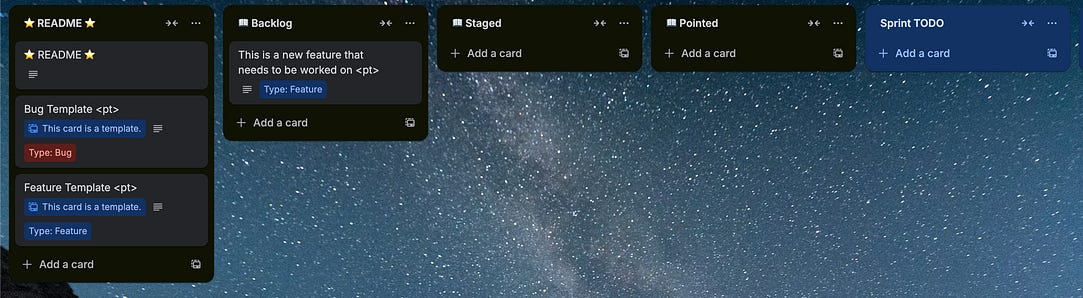
There’s a README column, which I use to store a ticket that explains how the board works, and a template ticket for bugs and features. Because I have templates saved, I can conveniently make new bug or feature tickets by clicking this little button in one of the columns.
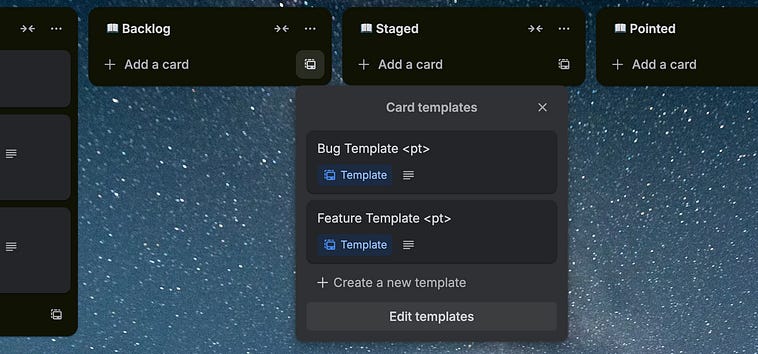
Creating new tickets with templates in Trello
The README describes how the board works. Noone reads it but me, but it’s nice to have anyway. It describes the general process.
This is a lightweight implementation of a SCRUM style Kanban Board
designed for planning and executing on a new major release.

This relies on the following workflow (aka Ceremonies, loosely):
-New ideas go in the backlog
-They are fleshed out with the requisite information to be fully designed.
 When fully baked out they end up in staged.
-During a pointing meeting with developers, the developers point
 staged tickets. The resulting tickets end up in pointed.
-A sprint is planned, where we plan out what will be done over a 2
 week period. The tickets to be worked on go into sprint TODO
-A sprint is executed, with regular meetings as necessary
-A review is done at the end of the sprint

These are some critical concepts:
-Feature tickets contain all the information one would plausibly need to
 understand from a users prospective and a technical prospective before
 implementing.
-Bug tickets contain all information that can realistically be provided
-Tickets change minimally throughout a sprint
-One of the goals of sprints is to find how quickly we work, so we can plan
 ahead. Thus tickets are pointed so we can understand how long a ticket will
 take, and look back at how long tickets have taken previously
The ticketing team (me and a few stakeholders) flesh out some tickets in the Backlog
Within the ticket, I have my template for a fully defined ticket, which should be filled out in order to call the ticket done. There’s also room for comments, so that developers and stakeholders can converse about the ticket as necessary.
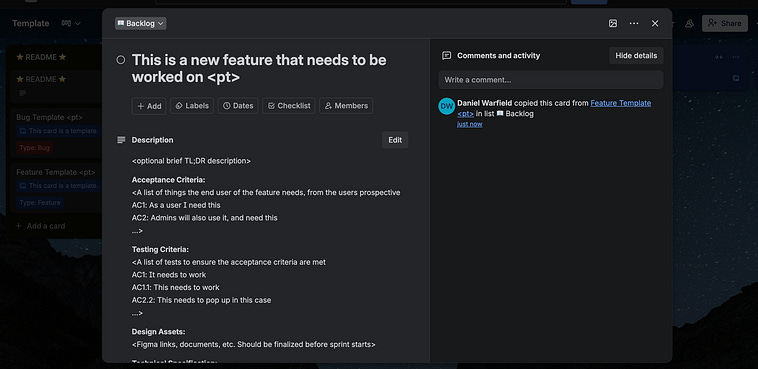
The inside of a ticket
Once a ticket is fully baked out (which can take a few ticketing sessions to complete sometimes), the ticket ends up in Staged, meaning the ticket is ready for pointing.
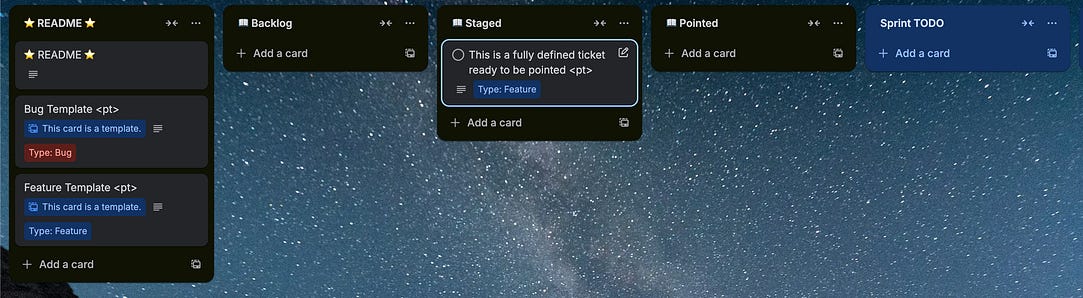
During pointing sessions, the tickets are assigned point values, which get placed inside the placeholder <pt>. Fully pointed tickets are placed in the Pointed column, and are thus ready to be introduced into a sprint.
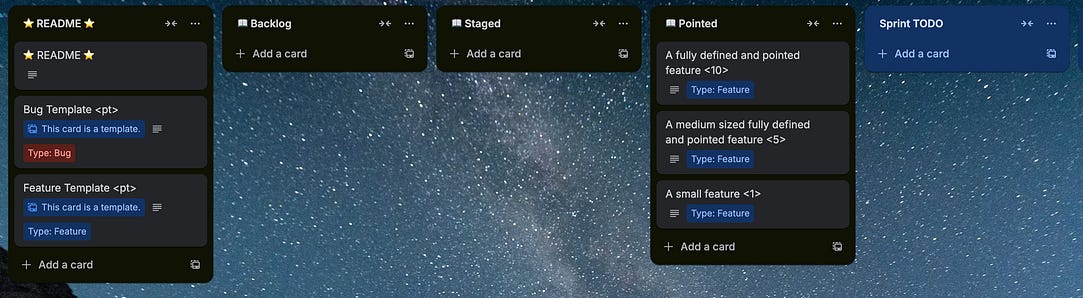
Recall the previous discussion we had on pointing sessions. Points are loosely understood as a number of days it will take to implement something. I use two-week sprints, which is 10 working days. Thus, a 10-point ticket is rather large. Anything longer than 10 points I definitely subdivide, but I prefer to keep my tickets under 8 points if possible. This threshold might change based on your team and their capabilities, though.
Now that tickets have been pointed, the ticketing team might decide to reconsider A fully defined and pointed feature <10>, and instead try to create two or more tickets that subdivide the effort. They might be surprised that the dev team assigned a value of 10, perhaps have a brief conversation as to why, and shelve the idea as too expensive. Regardless, the tickets that are good can go into Sprint TODO, and the team can begin working on them.
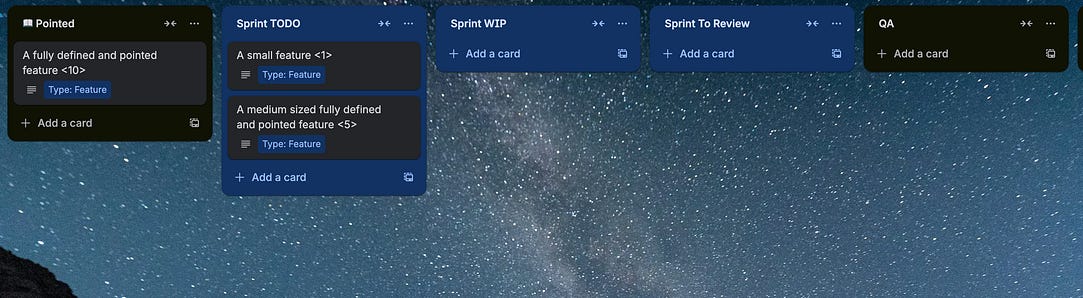
Depending on the team, you might decide to do a Kanban style of project (allowing developers to pull as quickly as possible) or a more formal Scrum style (thinking of a particular batch of tickets as a sprint, and having a defined start and end date for the sprint). In more chaotic environments the simplicity of Kanban can be benificial. In more mature environments, where more is going on, Scrum can have significant advantages.
The developers then manage how the tickets move from Sprint TODO to Sprint WIP and Sprint To Review. They use these columns to keep track of what they should work on, what they are working on, and what they consider done.
Once the developers have a ticket in Sprint To Review , that means it’s done and ready for review. You don’t have to review tickets in every situation, often dev teams have their own QA practices to minimize bugs, but it’s often a good idea for the product owner to at least check the product of the tickets from a high level.

I have a QA column to help me keep track of the tickets I’m currently evaluating. For big teams, a larger QA team could pull tickets from Sprint To Review, and thus QA would be like the “work in progress” for the QA team. You can play around with the specifics depending on your team’s composition. At the end of the day, though, after a ticket is done it ends up in the done column.
99% of the time, when a ticket is done by the development team it makes it through QA and to Done. Occasionally, though, an implementation is not faithful to the story, or some fundamental bugs are introduced, which undermine the ticket’s quality. In either of these cases, the product owner can decide to either call the ticket done anyway, and create new bug or feature tickets to communicate the new issues, or a comment can be left in the ticket itself, the ticket definition adjusted based on the result, and the ticket can be sent back to the backlog rather than progressing to done.
Often, in progressing through this process, a large number of tickets will end up in the backlog. As the weeks go by, old tickets might become “stale”, a term referring to a ticket that’s no longer practically relevant. I, as the product owner and project manager, review and archive these stale tickets throughout the duration of the project.
While not solely related to project management, I would be amiss not to mention environments. An environment, in software development, is an identical version of the app deployed on different URLs. You might have myproduct.dev.com , myproduct.qa.com, myproduct.com. Each of these environments has its own computers, databases, and is essentially completely isolated from one another. This is useful because it allows developers to see how their changes will impact the product in the dev environment, it gives the QA team a playground to test changes in the qa environment, and the team can decide on only the functional output to be pushed to the production environment.
Developers often use strategies, like CICD allong with code branching strategies, to organize their code such that they can control which feature ends up in which environment. With some small revisions, the Trello board can accommodate a centralized control of this type of work, simply by creating columns that signify when developers should push certain functionality.
When things are going smoothly, and you have a few sprints recorded in terms of the sprint goal and what the team managed to get done in the two-week interval, you begin understanding the “cruising altitude” of the team. The “cruising altitude” is the number of points the team can get done in a single sprint. This is super useful because, after it’s been established based on the history of the team, it can be used to estimate how long certain tickets, or batches of tickets, will take. Instead of a fly-by-night guess of how long a new core feature will take, you can draft the requisite tickets, have the devs point the tickets, and thus have a reasonable estimation of how many sprints are required to make it happen.
So, that’s it. That’s my approach to managing small projects. It’s relatively simple, but I hope you can see the depth that lies underneath that simplicity. Good project management should feel simple, but to settle on something that works, you need to understand a lot.
In larger teams, and larger projects, a slightly different tactic is required. Let’s discuss my approach in that context.
A Modern Approach to Agile Project Management For Existing or Large Products
I have a core ethos when dealing with a large project; it’s actually just many small projects. I’m not the only one who thinks this way.
If you can’t feed a team with two pizzas, it’s too large.
— Jeff Bezos
The best large organizations operate as a network of entrepreneurial teams.
— Reid Hoffman
Thus, fundamentally, a large team is operated identically to a small one, the only difference is that you divide the large team into several smaller teams, and have them work on specific problems. Thus, the management of large projects is essentially the task of managing many small projects simultaneously, and keeping them aligned in terms of strategy and results.
There are as many ways to divide a team into teams as there are companies with teams to divide. The process is essentially arbitrary, but can have serious repercussions later down the line. I recall, years ago, watching a video that compared the way Windows and MacOS handle audio. I was annoyed about how, on MacOS, it’s very difficult to record audio while doing a screen recording, and I wanted to know who in their right mind decided that MacOS should have such a convoluted approach to audio. Well, as I recall, in early development, Windows had one team for Audio and Video. At Apple, they were two separate teams (or something to that effect). This caused the two features to be more richly coupled on Windows, where there are still some quirks of video and audio that persist to this day in MacOS.
The idea of the fragmented mind, I think, comes into play when defining how larger teams should be divided into smaller functional teams. You want to keep the teams able to reason about a whole problem, while not making the problem so large that you need a ton of people. Depending on the size of the company, it might be impossible to solve a problem with a single small team. Thus, you might need to think in terms of layers of teams so that you can keep teams small but sufficiently coupled to solve those specific, higher-order problems.
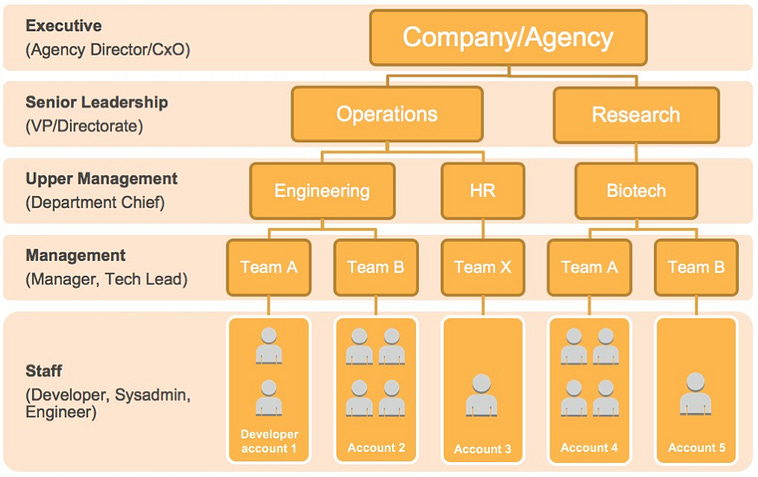
An example of an organizational chart. These arise in large organizations as a result of needing to keep teams small, but also the fact that some problems are so large they need multiple teams. Source
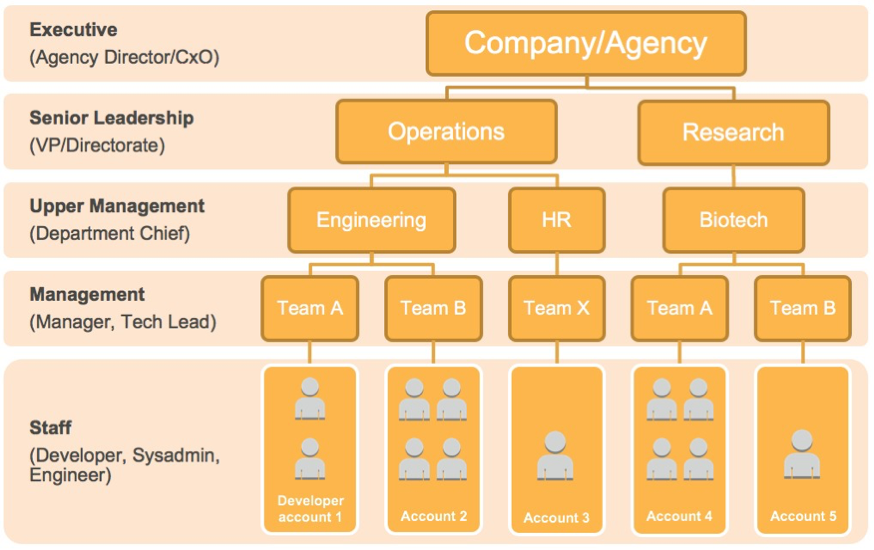
One division I think is immediately required, even in small software teams, is the division of Development, Research, and Marketing. Each of these worlds need to work together to create a successful company, but each of these also speaks such different languages that they need to have their own space to operate independently.
You might be curious why I include marketing in my list, considering this is an article on software project management. There’s a tongue-in-cheek expression in entrepreneurship that describes the inclusion: “First time product-focused, second time distribution-focused”. Essentially, in your first go-around building a product, it’s common to be excessively focused on the product itself. Quickly, though, it becomes apparent that you have no idea how to make the customers aware that the product exists, or how to get it to them. Thus, an entrepreneur’s second venture often focuses on distribution moreso than the product itself.
To mitigate the problem of distribution, it’s common in software to attempt to sell a product before it’s been built. You might have designs or a proof of concept, and it’s the marketing/business team’s job to see if that product has traction. The feedback they get can and should inform the priorities of the development and research team. Thus, in a healthy organization, there should be a healthy interplay between marketing and technical teams.
Research and Development are often lumped into one idea, but from a management perspective, I believe these should be isolated. Practically, development requires coming up with user stories, acceptance criteria, and a list of sub-tasks necessary to make the user story a reality. For development to go smoothly, you want nice, neat, timeboxed items that push the project forward in predictable ways.
If one of the features requires, I don’t know, the creation of an energy-efficient nuclear fusion reactor, you’re going to have a hard time wrangling that into tickets. Experimental fusion reactors exist, but none of them have yet to be energy efficient. You’re going to need to figure out a lot of unknowns, and figure out the core principles of fusion reactors, before you can even begin considering adding the technology to your product.
Thus, Research and Development are two complementary but distinct worlds. If the development team doesn’t know how to solve a problem, creating a ticket and having them work on it will only serve to gum up the well-oiled machine that is an agile project. For things that need to be explored, but have unknown timelines and approaches, that’s a research job.
Research makes teams uncomfortable, largely because they usually lack the foresight to invest in research upfront. Often, development teams foresee a technical hurdle in the future, but non-technical management does not understand the challenge and are thus not willing to write a blank check to dedicate time to understanding the problem before it becomes an actual problem. This is understandable, but it results in research initiatives being started when they’re needed, rather than being finished before they’re needed. In order to do research effectively, you need to look at the project, project it into the future, predict the biggest unknowns based on the product right now, and have the research team pre-emptively explore those problems before they inhibit the development team. It’s up to management to understand that this is vital, foster sufficient resources, and trust that things will go smoothly.
Frankly, research is one of the hardest but most vital ideas in software project management. As a result, I usually do most of the research in projects I manage by myself. Good research requires both a business and technical knowledge that exceeds the norm, and requires a level of authority to act autonomously outside the scope of proscriptive budgets and timelines. The personnel required is often expensive, and the ability to estimate timelines can be nonexistent.
If you’re not in the situation where one person can just “do all the research”, or perhaps there are too many unknowns in your large project, there are some management approaches you can use to allocate research time within an agile project. Often, the issue of research isn’t that there’s no one on the team that’s capable, but that the capable people are busy doing other tasks. If you find that unknowns are looming over a project, you can define “Spike” tickets. Spike tickets are time-boxed tickets dedicated to exploring a particular research topic. These can be very high-level and minimal tickets that developers can use to minimize unknowns as much as possible.
Spike: Evaluate WebRTC streaming latency under load
Timebox: 3 days
Deliverable: report + prototype
Sometimes, in cutting-edge projects where unknowns amount to a fair chunk of the overall work, a dedicated research team is required. This is common in projects that require a lot of data science/AI, for instance. Data science (as you might know from the rest of my articles) is complicated and generally non-deterministic, making it very hard for researchers to work within rigid requirements or time constraints.
In situations like these, “time horizons” are usually better than deadlines. These are time goals that the researcher works towards, and makes as much progress as they can within that time. They then write a report, or make a deliverable. Thus, the goal isn’t “solve the problem”, it’s “figure out as much as you can in this time frame, then create something to share with the rest of the team”. The manager can then see the relative progress on each thing being researched, and adjust research priorities, without relying on rigid constraints that stifle deep research work.
The general game of management in a big company is to keep all of these teams aligned, as best as possible, to the same goal. You might have one product, but there are several versions of the product the company plans on releasing to different markets. You might have several competing philosophies on future feature rollouts that require comparison and consideration. This “meta management” requires more abstraction than Trello, the kanban tool we used previously, provides.
This article is already rather long, and I think I’ve covered everything I wanted to in-terms of managing a team. At this point, we’re starting to approach product and organizational management, which is where more comprehensive tools like Jira really shine. I think it’s time to wrap up, we can save that for another installment.
Conclusion
Teams are powerful, but they’re hard to manage correctly such that that power is realised. Proper management is the gateway to realizing that power.
Agile emerged to deal with the flaws of more traditional approaches to project management. It focuses on iteration and updating dynamically as new information arises in a project.
There are several ways to actually “do” agile project management. Two common approaches are Kanban, a pull style approach which is incredibly simple, and more prospective approaches like Scrum, which include dedicated roles and events to keep a team honest. Each of these has costs and benefits; I use a mix of both.
As previously mentioned, we’ll cover higher-level product and organizational management ideas in future articles. Cheers!
> they respect their environment and want to support it, and they feel like contributors with agency
I can’t agree more. I have experienced such a team only once. A member plays like a professional athlete. They thank their environments and try their best efforts.
It took an hour for me to finish reading this article. But one idea kept popping up. Do you think a Coding AI can work on a ticket as a member?